← Main Page Bronze Silver Gold Requirements
Complete Instructor Curriculum

Audio Techniques
Academy Curriculum

Session-by-session breakdown of the complete audio engineering program. Lead Instructor: Obai Sukar | 25+ Years Professional Experience.

60
Total Sessions
26
Weeks
3
Skill Levels
4
Pro Tracks
Curriculum Overview
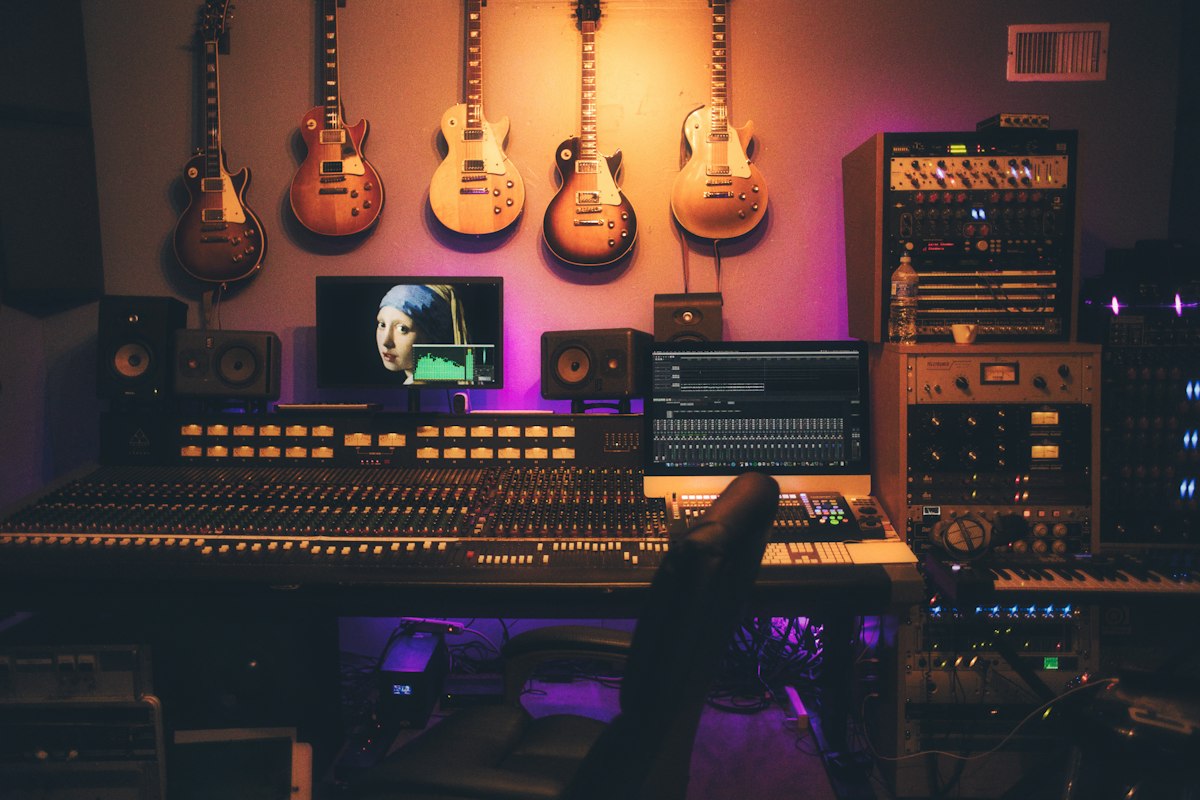
Recording studio
Bronze Level

Audio Engineering Fundamentals

Complete foundation in audio science, equipment operation, signal flow, and professional recording workflows. No prerequisites required.

24 Sessions 8 Weeks 4 Modules
Session 1

Physics of Sound

  • What is sound: mechanical vibration, compression and rarefaction
  • Frequency and pitch: 20Hz - 20kHz audible range
  • Wavelength calculations and speed of sound (343 m/s)
  • Amplitude: loudness perception vs measured SPL
  • Sound propagation: direct, reflected, diffracted
  • Practical: identifying frequency ranges by ear
Requires: Projector/display, studio monitors or headphones, tone generator software (free), whiteboard
Session 2

The Four Audio Domains

  • Frequency Domain: spectrum analysis, EQ applications, critical listening bands
  • Amplitude Domain: dB scales (dBFS, dBu, dBV, dB SPL), dynamic range
  • Time Domain: waveform shape, phase relationships, transients, latency
  • Harmonic Domain: fundamental frequency, overtones, timbre, harmonic distortion
  • Practical: using spectrum analyzers and level meters
Requires: Computer with Nuendo (spectrum analyzer plugin included), studio monitors, headphones
Session 3

Analog vs Digital Audio

  • Analog signal characteristics: continuous waveforms, voltage representation
  • A/D Conversion: sampling process, Nyquist theorem, aliasing
  • Sample Rate: 44.1kHz, 48kHz, 96kHz, 192kHz and applications
  • Bit Depth: 16-bit, 24-bit, 32-bit float resolution and dynamic range
  • D/A Conversion: reconstruction filters, clock accuracy
  • Practical: comparing audio at different Sample Rates and Bit Depths
Requires: Computer with Nuendo, Audio Interface, studio monitors, headphones, sample audio files at various Sample Rates
Session 4

Signal Flow: Source to Speaker

  • Complete signal path: source > Microphone > Preamp > Processor > Output
  • Gain Staging: optimal levels at each stage, headroom management
  • Impedance matching: low-Z vs high-Z, balanced vs unbalanced signals
  • Phantom Power (+48V): what it is, when it's needed, safety considerations
  • Signal routing: insert points, aux sends, direct outputs
  • Practical: tracing signal flow on a physical console
Requires: Mixing console (analog or digital), Microphone, XLR cable, studio monitors, Audio Interface
Session 5

Cables, Connectors & Infrastructure

  • Connector types: XLR, 1/4" TRS/TS, RCA, Speakon, BNC
  • Cable construction: balanced vs unbalanced, shielding types
  • Digital interconnects: AES/EBU, S/PDIF, ADAT, USB, Thunderbolt
  • Patch bay operation and studio wiring standards
  • Cable management and maintenance best practices
  • Practical: soldering XLR and TRS cables, testing with multimeter
Requires: Assorted cables (XLR, TRS, RCA), soldering iron, solder, heat shrink, multimeter, connectors
Session 6

Acoustics Fundamentals

  • Room acoustics: reflection, absorption, diffusion
  • RT60 reverberation time and its measurement
  • Standing waves and room modes: identification and management
  • Critical listening environments: near-field vs far-field monitoring
  • Basic room treatment: absorption panels, bass traps, diffusers
  • Practical: measuring room response with test tones
Requires: Studio or treated room, measurement Microphone (optional), REW software (free), studio monitors, test tone files
Session 7

Microphone Types & Construction

  • Dynamic Microphones: moving coil design, durability, applications
  • Condenser Microphones: large and small diaphragm, sensitivity, Phantom Power
  • Ribbon Microphones: figure-8 pattern, warmth, fragility, modern designs
  • Specialty types: Lavalier, Shotgun, boundary, PZM
  • Frequency response charts: reading and interpreting specifications
  • Practical: hands-on comparison of Dynamic, Condenser, and Ribbon mics
Requires: Dynamic Microphone (SM57/58), Condenser Microphone (AT2020 or similar), Microphone stands, Audio Interface with Phantom Power
Session 8

Polar Patterns & Microphone Placement

  • Cardioid: on-axis response, off-axis rejection, proximity effect
  • Omnidirectional: equal sensitivity, room sound capture
  • Figure-8 (Bidirectional): front/rear pickup, null sides
  • Supercardioid and Hypercardioid: narrow pickup, rear lobe
  • Multi-pattern Microphones: switchable polar patterns
  • Practical: recording same source with different patterns and placements
Requires: Dynamic and Condenser Microphones, Microphone stands, Audio Interface, Nuendo, headphones, acoustic source (voice or instrument)
Session 9

Mixing Console Architecture

  • Channel strip walkthrough: input, Gain, Pad, HPF, EQ, Dynamics, Fader
  • Bus structure: main mix, groups/subgroups, aux sends
  • Aux sends: pre-fader (monitors) vs post-fader (effects)
  • Insert points: pre/post EQ, external processor routing
  • Master section: stereo bus, monitoring, talkback, control room
  • Practical: setting up a 16-channel mix from scratch on console
Requires: Analog or digital mixing console (e.g., Yamaha MG12), Microphones, XLR cables, studio monitors
Session 10

Audio Processors: EQ & Filters

  • EQ types: parametric, semi-parametric, graphic, shelving
  • Parameters: frequency, gain, Q (bandwidth)
  • High-Pass and Low-Pass Filters: slope rates (6, 12, 18, 24 dB/octave)
  • Subtractive vs additive EQ techniques
  • Common EQ moves: cleaning mud (200-400Hz), adding presence (2-5kHz), air (10kHz+)
  • Practical: EQ correction exercise on dialogue and music
Requires: Computer with Nuendo (built-in EQ plugins), studio monitors, headphones, sample dialogue and music files
Session 11

Dynamics Processing

  • Compressor: threshold, ratio, attack, release, knee, make-up gain
  • Limiter: brick-wall limiting, peak protection
  • Gate/Expander: threshold, range, hold, reducing unwanted noise
  • De-esser: frequency-selective compression for sibilance
  • Gain staging with processors: maintaining headroom
  • Practical: applying Compression and Gating to voice and instruments
Requires: Computer with Nuendo (built-in Compressor, Gate, Limiter, De-esser plugins), Microphone, Audio Interface, headphones
Session 12

Audio Interfaces, Preamps & Monitoring

  • Audio Interface selection: I/O count, conversion quality, connectivity
  • Preamplifier types: clean/transparent vs colored/tube
  • Monitoring systems: passive vs active speakers, nearfield vs midfield
  • Headphone types: open-back, closed-back, in-ear for different applications
  • Monitor placement: equilateral triangle, height, distance from walls
  • Practical: A/B comparison of different Preamps and monitoring setups
Requires: Audio Interface (e.g., Steinberg UR44C), studio monitors, headphones (closed-back), Microphone, XLR cables
Session 13

DAW Fundamentals: Steinberg Nuendo

  • Nuendo interface overview: project window, mixer, transport, inspector
  • Session setup: Sample Rate, Bit Depth, project templates
  • Track types: audio, MIDI, instrument, group, FX, VCA
  • Input/output routing and Audio Interface configuration
  • Basic editing tools: selection, range, scissors, glue, mute
  • Practical: creating a session from scratch, importing audio files
Requires: Computer with Nuendo installed, Audio Interface, studio monitors or headphones
Session 14

Multi-Track Recording Techniques

  • Multi-track concept: recording instruments on separate tracks simultaneously
  • Overdubbing: recording additional parts over existing tracks
  • Comping: selecting best takes from multiple passes
  • Punch-In/Out: correcting specific sections within a take
  • Click tracks and tempo mapping for session synchronization
  • Practical: recording a multi-source session (voice, instrument, ambience)
Requires: Computer with Nuendo, Audio Interface (4+ inputs), 2-3 Microphones, XLR cables, Microphone stands, headphones
Session 15

Audio Editing Workflows

  • Non-destructive editing: regions, events, and parts
  • Trimming, splitting, and arranging audio events
  • Fades and crossfades: types, shapes, and applications
  • Time-Stretching and Pitch Correction basics
  • Noise reduction tools and cleanup workflows
  • Practical: editing a spoken-word recording for broadcast
Requires: Computer with Nuendo, headphones, sample audio files (spoken word, music)
Session 16

Introduction to Mixing

  • Mix preparation: gain staging, track organization, color coding
  • Level balancing: establishing a static mix
  • Panning: stereo field placement, LCR technique
  • Basic EQ in the mix: frequency separation between elements
  • Basic Compression: controlling dynamics in a mix context
  • Practical: mixing a 8-track session from scratch
Requires: Computer with Nuendo, studio monitors, headphones, pre-recorded multi-track session files
Session 17

Effects: Reverb, Delay & Modulation

  • Reverb types: room, hall, plate, spring, convolution
  • Reverb parameters: pre-delay, decay time, damping, wet/dry
  • Delay types: simple, ping-pong, tape delay, tempo sync
  • Modulation effects: chorus, flanger, phaser
  • Send vs insert effects: when to use each approach
  • Practical: creating spatial depth with Reverb and Delay
Requires: Computer with Nuendo (built-in Reverb, Delay, Modulation plugins), studio monitors, headphones
Session 18

Post-Production Basics & File Management

  • Dialogue editing: cleanup, de-noise, consistency
  • Sound effects (SFX) placement and timing with picture
  • Audio-to-video synchronization: timecode, frame rates (24, 25, 29.97, 30)
  • File formats: WAV, AIFF, FLAC, MP3, AAC and their applications
  • Session organization, backup strategies, naming conventions
  • Practical: editing and syncing audio to a short video clip
Requires: Computer with Nuendo, headphones, sample video clip, external hard drive for backup exercises
Session 19

PA System Setup & Operation

  • PA system components: Microphones, console, amplifiers, speakers
  • Speaker types: full-range, subwoofer, monitor wedge, delay fill
  • Speaker placement for even coverage in different venues
  • Amplifier selection and power calculations
  • Signal distribution: splitters, active/passive DI boxes
  • Practical: setting up a small PA system from scratch
Requires: Small PA system (powered mixer + 2 speakers), Microphones, DI boxes, XLR and speaker cables, venue or large room
Session 20

Live Mixing Techniques

  • Front-of-House (FOH) vs Monitor Mixing: different goals and techniques
  • Stage patching: input lists, stage plots, system block diagrams
  • Soundcheck procedure: line check, individual instruments, full band
  • Real-time mixing decisions: riding faders, dynamic EQ
  • In-Ear Monitoring (IEM) basics for performers
  • Practical: live mixing simulation with playback tracks
Requires: Mixing console, PA system (speakers + amplifier), Microphones, monitor wedge or headphones, stage patch cables
Session 21

Feedback Control & Troubleshooting

  • Feedback: causes, identification, and prevention strategies
  • Ringing out monitors: finding and notching feedback frequencies
  • Graphic EQ application for room tuning
  • Common live sound problems and systematic troubleshooting
  • Emergency procedures and backup planning
  • Practical: feedback identification and elimination exercise
Requires: PA system with monitors, Microphones, graphic EQ (hardware or plugin), feedback-prone room setup
Session 22

Broadcast Audio Fundamentals

  • Broadcast signal standards: analog and digital broadcast chains
  • Live-to-air processing: AGC, Compressor, Limiter, final output chain
  • Loudness standards: EBU R128, ITU-R BS.1770, ATSC A/85
  • LUFS/LKFS metering and loudness compliance
  • Broadcast console operation and on-air procedures
  • Practical: setting up a broadcast audio chain with loudness metering
Requires: Computer with Nuendo, loudness metering plugin (included in Nuendo), studio monitors, headphones
Session 23

Radio, Podcast & Streaming Production

  • Radio production workflow: jingles, voice-overs, imaging
  • Podcast production: recording, editing, publishing workflow
  • Streaming audio: encoding formats, bitrates, CDN basics
  • Voice processing chain for broadcast: EQ, Compression, De-esser
  • Export and delivery formats for different platforms
  • Practical: producing a short radio segment or podcast episode
Requires: Computer with Nuendo, Microphone, Audio Interface, pop filter, headphones, internet connection for streaming demo
Session 24

Final Assessment & Professional Certification

  • Written technical exam: audio theory, signal flow, equipment knowledge
  • Practical demonstration: recording, editing, and mixing exercise
  • Portfolio review: compilation of work from all modules
  • Professional workflow evaluation: session organization, file management
  • Career guidance and advancement to Silver Level pathway
  • Certificate of completion presentation
Requires: All equipment from previous sessions available, printed exam materials, portfolio submission system
Bronze Level Assessment Criteria

  • 60% Continuous Assessment: session exercises, homework, participation
  • 25% Portfolio Projects: 4 portfolio pieces (one per module)
  • 15% Final Certification Exam: written + practical
Professional mixing environment
Silver Level

Intermediate Professional Audio

Advanced recording techniques, acoustics, professional mixing, and specialized applications. Prerequisite: Bronze Level.

20 Sessions 10 Weeks 4 Modules
Session 1

Room Acoustics Analysis

  • RT60 measurement: theory, tools, and interpretation
  • Standing waves and room modes: calculation by room dimensions
  • Flutter echo identification and treatment
  • Practical: measuring RT60 and identifying room modes in a real space
Requires: Measurement Microphone (optional: Behringer ECM8000), REW software (free), studio monitors, tape measure, laptop
Session 2

Acoustic Treatment Design

  • Absorption: material selection, NRC ratings, placement strategies
  • Diffusion: QRD diffusers, skyline diffusers, when to diffuse vs absorb
  • Bass trapping: porous absorbers, membrane traps, corner placement
  • Isolation techniques: floating floors, decoupled walls, STC ratings
  • Practical: designing acoustic treatment for a small studio space
Requires: Projector/display, sample acoustic treatment materials (foam, rockwool), room layout drawings
Session 3

Advanced Digital Audio

  • Oversampling and its effect on anti-aliasing filter design
  • Dithering: types (TPDF, noise shaping), when to apply
  • Jitter: causes, audible effects, reduction methods
  • Word Clock synchronization in multi-device setups
  • Practical: configuring multi-device clock sync and measuring jitter
Requires: Computer with Nuendo, Audio Interface, word clock cable (BNC), second Audio Interface or digital device for sync demo
Session 4

Audio Networking Protocols

  • Dante: architecture, routing, device management, redundancy
  • AVB/Milan: IEEE standard, low latency, network requirements
  • AES67: interoperability standard, SMPTE ST 2110
  • MADI: 64-channel digital interconnect, coax and fiber
  • Practical: setting up a Dante network with multiple devices
Requires: Computer with Dante Controller software (free), Dante-enabled device (if available), network switch, Ethernet cables
Session 5

DSP & System Processors

  • Digital Signal Processing fundamentals: FIR vs IIR filters
  • System processor configuration: crossovers, delays, limiters
  • Speaker management software: setup and optimization
  • Practical: configuring a multi-way speaker system with DSP
Requires: Computer with speaker management software, PA system with active crossover capability, measurement Microphone
Session 6

Speech Intelligibility & Measurement

  • STI (Speech Transmission Index): measurement and interpretation
  • STIPA: simplified measurement method for installed systems
  • Factors affecting intelligibility: RT60, S/N ratio, direct-to-reverberant ratio
  • System design for speech: houses of worship, conference rooms, airports
  • Practical: measuring and optimizing STI in a real space
Requires: Measurement Microphone, laptop with REW or STIPA measurement tool, PA system, large room or venue
Session 7

Advanced Stereo Microphone Techniques

  • XY (coincident pair): setup, stereo width, mono compatibility
  • ORTF: spacing and angle, natural stereo image
  • M/S (Mid-Side): encoding, decoding, adjustable stereo width
  • Blumlein: dual figure-8 technique, spacious recording
  • Spaced pair (AB): time-of-arrival stereo, wide image
  • Practical: recording same source with all five techniques, comparing results
Requires: 2x matched Condenser Microphones (small diaphragm), stereo bar, Microphone stands, Audio Interface (2+ inputs), Nuendo, headphones
Session 8

Multi-Track Session Management

  • Complex routing: groups, VCA, folder tracks, sidechain routing
  • Template design for different production types
  • Track versions and playlists for non-destructive workflow
  • Collaboration workflows: session export, OMF/AAF interchange
  • Practical: building professional session templates for radio and post
Requires: Computer with Nuendo, pre-built session files, external drive for OMF/AAF export exercises
Session 9

Advanced EQ & Frequency Management

  • Parametric EQ: surgical correction vs tonal shaping
  • Dynamic EQ: frequency-dependent compression, de-essing with dynamic EQ
  • Frequency masking: identifying and resolving conflicts between sources
  • Linear-phase EQ: when to use, CPU considerations
  • Practical: solving frequency masking in a dense multi-track mix
Requires: Computer with Nuendo (parametric EQ, dynamic EQ plugins), studio monitors, headphones, dense multi-track session files
Session 10

Advanced Dynamics Processing

  • Multi-band Compression: splitting frequency ranges for independent control
  • Parallel Compression: blending compressed and dry signals
  • Sidechain Compression: ducking, pumping effects, frequency-selective sidechain
  • Serial Compression: multiple compressors in series for transparent control
  • Practical: applying advanced dynamics to a broadcast voice chain
Requires: Computer with Nuendo (multi-band Compressor, sidechain routing), studio monitors, headphones, broadcast voice recordings
Session 11

Advanced Time-Based Effects

  • Reverb design: creating custom spaces with algorithmic reverb
  • Convolution Reverb: impulse responses, real-space simulation
  • Delay techniques: slapback, rhythmic delays, Haas effect for width
  • Modulation effects in context: subtle enhancement vs creative effects
  • Practical: creating depth and space in a dry studio recording
Requires: Computer with Nuendo (Reverb, convolution Reverb, Delay plugins), studio monitors, headphones, dry studio recordings
Session 12

Mix Automation & Bus Processing

  • Automation modes: read, write, touch, latch, trim
  • Volume automation: vocal rides, build-ups, transitions
  • Parameter automation: filter sweeps, effect sends, panning moves
  • Bus processing: group compression, parallel bus effects
  • Mix-down: bounce settings, dithering, format selection
  • Practical: automating and bouncing a complete mix
Requires: Computer with Nuendo, studio monitors, headphones, multi-track session ready for mixing
Session 13

Advanced Live Sound Engineering

  • System tuning: measurement microphones, analysis software
  • Delay alignment: time alignment between speaker arrays
  • Zone coverage: delay fills, under-balcony speakers, distributed systems
  • Practical: tuning a multi-zone PA system using measurement tools
Requires: PA system (multi-zone if possible), measurement Microphone, laptop with SMAART or REW, delay processor
Session 14

Advanced Monitor Mixing & IEM

  • In-Ear Monitoring (IEM) systems: wireless, cabled, hybrid
  • Personal monitor mixers: Aviom, ME-1, stage rack systems
  • Monitor mixing from FOH: compromises and techniques
  • Hearing conservation for performers and engineers
  • Practical: setting up IEM system and personal monitor mixes
Requires: Mixing console, monitor speakers or IEM system, Microphones, headphones, stage box or splitter
Session 15

Film & Television Audio

  • ADR (Automated Dialogue Replacement): recording, sync, performance
  • Foley: recording techniques, footsteps, props, cloth
  • Sound design: layering, synthesis, processing for character and mood
  • Dialogue editing: room tone matching, breath control, continuity
  • Practical: creating a complete audio track for a 2-minute scene
Requires: Computer with Nuendo, Microphone, props for Foley, video clip for sync exercise, headphones, studio monitors
Session 16

Broadcast Facility Workflows

  • On-air processing chains: AGC, multi-band compression, limiting
  • Redundancy systems: backup paths, failover procedures
  • Remote broadcasting: codec selection, ISDN, IP audio
  • Practical: configuring a complete on-air processing chain
Requires: Computer with Nuendo, broadcast processing plugins (included in Nuendo), loudness meter, headphones
Session 17

Streaming & Podcast Production

  • Audio encoding: AAC, Opus, MP3 — quality vs bitrate trade-offs
  • CDN optimization: adaptive bitrate, latency management
  • Live streaming audio: OBS, dedicated encoders, cloud mixing
  • Podcast distribution: RSS, hosting platforms, metadata
  • Practical: setting up a live stream with professional audio quality
Requires: Computer with Nuendo + OBS (free), Microphone, Audio Interface, headphones, internet connection
Session 18

Surround Sound Fundamentals

  • 5.1 channel configuration: speaker placement, bass management
  • 7.1 surround: additional surround channels
  • Surround panning and object placement
  • Downmixing: surround to stereo compatibility
  • Practical: creating a 5.1 surround mix from a stereo source
Requires: Computer with Nuendo (5.1 panning supported), minimum 5.1 speaker setup or headphones with binaural plugin
Session 19

Client Management & Project Scoping

  • Client needs assessment: understanding requirements, setting expectations
  • Proposal writing: scope, deliverables, timelines, pricing
  • Equipment specification: building tech riders and equipment lists
  • Budgeting: project costing, markup, rental vs purchase decisions
  • Practical: writing a project proposal for a hypothetical client
Requires: Projector/display, sample proposal templates, whiteboard, printed case studies
Session 20

Portfolio Development & Career Strategy

  • Portfolio development: selecting work, presentation, online platforms
  • Career paths: studio, live, broadcast, post-production, freelance
  • Networking and professional organizations (AES, SBE)
  • Continuing education and specialization roadmap
  • Final Silver Level assessment and certification
Requires: Computer with internet access, projector/display, portfolio review materials from students

Silver Level Assessment Criteria

  • 50% Professional Projects: complete album mix, live concert recording, film audio, or broadcast show
  • 30% Technical Competency: advanced equipment proficiency and problem-solving
  • 20% Professional Skills: client communication, project management, portfolio quality
Large venue audio
Gold Level

Advanced Audio Engineering Mastery

Expert-level specialization in one of four professional tracks. Prerequisites: Silver Level + Professional Portfolio.

16 Sessions 8 Weeks 4 Tracks
Session A-1

Advanced Mixing: Stem Processing & Analog Summing

  • Stem mixing workflow: organizing and processing instrument groups
  • Analog summing: hybrid mixing with external hardware
  • Mix referencing: using commercial references, translation across systems
  • Advanced bus processing: parallel saturation, tape emulation, stereo enhancement
Requires: Computer with Nuendo, studio monitors, headphones, reference tracks, optional: analog summing mixer
Session A-2

Mastering: Signal Chain & Loudness Optimization

  • Mastering signal chain: EQ > Compression > Limiting > Metering
  • Loudness optimization: target levels for streaming, broadcast, physical media
  • Stereo width and imaging control in mastering
  • Mid/Side processing for mastering applications
Requires: Computer with Nuendo (mastering plugins included), studio monitors (calibrated), loudness meter, headphones
Session A-3

Immersive Audio Production

  • Dolby Atmos for music: bed tracks, objects, binaural rendering
  • 7.1.4 monitoring setup and calibration
  • Nuendo Dolby Atmos renderer workflow
  • Delivery for Apple Music Spatial Audio and other platforms
Requires: Computer with Nuendo + Dolby Atmos Renderer, headphones (binaural monitoring minimum), ideally 7.1.4 speaker setup
Session A-4

Studio Design & Monitoring Calibration

  • Control room design principles: reflection-free zone, monitor placement
  • Monitor calibration: SPL alignment, frequency response correction
  • Room measurement and correction software (Sonarworks, REW)
  • Practical capstone: master a project for multi-platform release
Requires: Measurement Microphone, REW software, studio monitors, SPL meter, room measurement tools
Session B-1

Line Array System Design

  • Line Array theory: wavefront, coupling, directivity
  • Coverage prediction software: EASE, ArrayCalc, Soundvision
  • Rigging: safety calculations, flying hardware, weight distribution
  • Array optimization: splay angles, mechanical shading
Requires: Computer with prediction software (EASE demo or free alternatives), projector/display, venue drawings
Session B-2

Large Venue Acoustics & Distributed Systems

  • SPL mapping: coverage uniformity, front-to-back ratio
  • Delay towers: time alignment, level tapering, zone control
  • Distributed systems: 70V/100V lines, ceiling speakers, paging
  • Subwoofer arrays: cardioid configurations, ground stacking vs flown
Requires: Computer with prediction/measurement software, projector/display, SPL meter, venue access for field trip
Session B-3

Festival & Conference Audio Coordination

  • Multi-stage festivals: system planning, changeovers, redundancy
  • Conference audio: discussion systems, simultaneous interpretation
  • Noise management: community compliance, SPL monitoring
  • RF coordination: wireless microphones, IEM, intercom frequencies
Requires: Projector/display, RF coordination software or frequency charts, sample technical riders, whiteboard
Session B-4

System Measurement & Optimization

  • SMAART: dual-FFT transfer function measurement
  • Phase alignment: subwoofer-to-main, array-to-delay
  • System equalization: measurement-informed vs ear-based tuning
  • Practical capstone: design and simulate a large venue PA system
Requires: Laptop with SMAART or REW, measurement Microphone, PA system, Audio Interface, cables
Session C-1

Advanced Sound Design

  • Synthesis for sound design: subtractive, granular, wavetable
  • Sound layering: building complex effects from elements
  • Foley recording: studio setup, surfaces, props, performance technique
  • Processing chains for cinematic sound: distortion, convolution, pitch
Requires: Computer with Nuendo, Microphone, Foley props and surfaces, headphones, studio monitors, sample SFX libraries
Session C-2

ADR & Dialogue Replacement

  • ADR recording: cueing systems, loop groups, performance direction
  • Dialogue matching: EQ, reverb, and noise floor to match production audio
  • Walla recording and crowd scene creation
  • Dialogue premix: balance, automation, spatial placement
Requires: Computer with Nuendo, Condenser Microphone, pop filter, video display for talent cueing, headphones, treated room
Session C-3

Dolby Atmos & Object-Based Audio

  • Dolby Atmos for film/TV: bed channels, objects, metadata
  • Nuendo Atmos renderer: object panning, snapshots, monitoring
  • Binaural rendering for headphone delivery
  • Quality control and deliverables: cinema DCP, streaming, broadcast
Requires: Computer with Nuendo + Dolby Atmos Renderer, headphones (binaural minimum), video clips for immersive mixing
Session C-4

Delivery Standards & Platform Requirements

  • Cinema: DCP audio specifications, Dolby certification requirements
  • Television: loudness compliance (EBU R128, ATSC A/85), delivery specs
  • Streaming: Netflix, Disney+, Apple TV+ audio specifications
  • Practical capstone: complete post-production audio for a short film
Requires: Computer with Nuendo, loudness meter, sample deliverable specs from Netflix/broadcast, headphones
Session D-1

Broadcast Facility Design

  • Control room layout: ergonomics, sightlines, equipment placement
  • Studio design: isolation, acoustics, ventilation considerations
  • Technical areas: equipment racks, wiring infrastructure, power
  • Grounding and power: star ground, isolated ground, UPS systems
Requires: Projector/display, CAD or drawing software (optional), sample facility floor plans, whiteboard
Session D-2

Multi-Platform Content Optimization

  • Radio: FM processing, HD Radio, DAB+ specifications
  • Television: embedded audio, SDI, loudness compliance
  • Web and mobile: adaptive bitrate, low-latency streaming
  • Simultaneous multi-platform distribution workflows
Requires: Computer with Nuendo, encoding software, loudness meter, internet connection for streaming tests
Session D-3

Redundancy & Disaster Recovery

  • Backup signal paths: automatic failover, manual switchover
  • Equipment redundancy: dual processing, hot standby systems
  • Disaster recovery: off-site backup, rapid rebuild procedures
  • Documentation: signal flow diagrams, maintenance schedules, SOPs
Requires: Projector/display, sample signal flow diagrams, whiteboard, documentation templates
Session D-4

IP-Based Audio & Remote Production

  • AoIP infrastructure: network switches, QoS, PTP clocking
  • Remote production: contribution codecs, return feeds, communication
  • Cloud-based production: virtual mixing, remote collaboration tools
  • Practical capstone: design a complete broadcast facility signal flow
Requires: Computer with Dante Controller or AoIP software, network switch, Ethernet cables, Audio Interface with network capability
Sessions 5-8

System Integration & Measurement

  • Multi-system integration: audio, video, lighting, control
  • Advanced measurement: dual-FFT, impulse response, transfer function
  • Calibration standards and verification procedures
  • Troubleshooting complex systems: systematic diagnosis methodology
Requires: Laptop with measurement software, Audio Interface, measurement Microphone, multi-system environment access
Sessions 9-12

Research, Development & Innovation

  • Current trends: immersive audio, AI-assisted mixing, spatial capture
  • Emerging technologies: Ambisonics, binaural rendering, 6DoF audio
  • Research methodology: testing hypotheses, documenting results
  • R&D project: developing an original solution to an industry challenge
Requires: Computer with internet access, Nuendo, projector/display, research paper examples
Sessions 13-16

Professional Mastery & Leadership

  • Industry leadership: mentoring, knowledge transfer, team building
  • Training and teaching: developing educational content, workshops
  • Master capstone project: real-world project with industry deliverables
  • Gold Level certification and professional recognition ceremony
Requires: Projector/display, all equipment for capstone project demonstration, portfolio submission materials

Gold Level Assessment Criteria

  • 60% Master Project Portfolio: capstone project demonstrating expert-level competency
  • 25% Technical Leadership: system design, problem-solving, innovation contribution
  • 15% Professional Development: mentoring, knowledge sharing, industry engagement
Minimum Requirements
The following are the bare minimum requirements to deliver this curriculum effectively. The program is designed to be equipment-adaptable.

Facility

  • Access to a recording studio or treated room (rented or provided) for practical sessions
  • A control room or mixing area with basic acoustic treatment (absorption panels, bass traps)
  • Reliable power supply with surge protection (UPS recommended)
  • A classroom or lecture space for theory sessions (projector or large display needed)

Software

  • Steinberg Nuendo (primary DAW) — 1 instructor license + 1 license per workstation (or shared access in rotation)
  • Operating system: Windows 10/11 or macOS (Nuendo supports both)
  • Basic metering and analysis plugins (many are included with Nuendo)

Computers

  • Minimum 1 workstation for instructor demonstration (i5/Ryzen 5 or better, 16GB RAM, SSD)
  • Ideally 2-4 additional workstations for hands-on student practice
  • External hard drives for session backup and file exchange

Audio Interface & Monitoring

  • 1 multi-channel Audio Interface (minimum 4 inputs / 4 outputs, e.g., Steinberg UR44C or similar)
  • 1 pair of active nearfield studio monitors (e.g., Yamaha HS5 or HS7)
  • 4-6 closed-back headphones for student monitoring (e.g., Audio-Technica ATH-M20x)

Microphones (Minimum Kit)

  • 2x Dynamic Microphone (e.g., Shure SM58 or SM57) — vocal and instrument use, durable
  • 1x Large-Diaphragm Condenser (e.g., Audio-Technica AT2020 or Rode NT1) — studio recording
  • 1x Small-Diaphragm Condenser (e.g., Rode M5 or similar) — instrument and overhead use
  • Note: Ribbon Microphones are taught theoretically; not required for practical exercises

Accessories & Cables

  • 4-6 XLR cables (various lengths: 3m, 5m, 10m)
  • 2x Microphone stands (boom type) + 1x desktop stand
  • 1x Pop filter for vocal recording
  • 1-2 DI boxes (passive, for instrument input)
  • Basic cable tester / multimeter for troubleshooting exercises

Live Sound (Module 4 / Silver+)

  • Access to a small PA system for live sound sessions (can be rented per session)
  • Minimum: 1 powered mixer or small analog console + 2 powered speakers
  • Alternatively: partnership with a local venue or event company for practical sessions

Optional (Enhances Training)

  • Small analog mixing console (e.g., Yamaha MG12 or Soundcraft) for hands-on console training
  • Measurement microphone (e.g., Behringer ECM8000) for acoustics sessions
  • Room measurement software (REW — free)
  • Additional outboard gear: 1 hardware Compressor or EQ for demonstration
Assessment & Certification Framework

Bronze Level Certificate

  • Written technical exam covering audio theory and equipment knowledge
  • Practical demonstration: recording, editing, and mixing exercise under supervision
  • Portfolio of 4 completed projects (one per module)
  • Minimum 75% overall score required for certification

Silver Level Certificate

  • Professional project: complete production in one specialty area
  • Technical competency evaluation: advanced troubleshooting scenarios
  • Professional skills assessment: client communication, project management
  • Minimum 80% overall score required for certification

Gold Level Certificate

  • Master capstone project: industry-quality deliverable in chosen specialization
  • Technical leadership evaluation: system design and optimization
  • R&D contribution: documented innovation or process improvement
  • Minimum 85% overall score required for certification
Learning Objectives & Career Outcomes

Technical Mastery

  • Comprehensive understanding of audio physics, signal flow, and processing
  • Proficiency with industry-standard equipment and software (Steinberg Nuendo)
  • Ability to design, install, and optimize audio systems for any application
  • Advanced measurement and analysis skills using professional tools

Professional Skills

  • Recording, mixing, and mastering for studio, broadcast, and post-production
  • Live sound engineering for events of all scales
  • Project management, client relations, and business development
  • Portfolio development and career strategy in audio engineering

Career Pathways

  • Recording Engineer / Studio Technician
  • Live Sound Engineer / FOH / Monitor Engineer
  • Broadcast Audio Engineer / Radio Production
  • Post-Production / Film & TV Audio Editor
  • Audio System Designer / Integrator
  • Streaming and Podcast Producer
  • Acoustic Consultant
  • Audio Department Lead / Technical Director
Industry Standards Compliance
The curriculum aligns with the following international standards and professional organizations:

AES

Audio Engineering Society — Technical standards for audio measurement and equipment

EBU R128

European Broadcasting Union loudness normalization

ITU-R BS.1770

Algorithms for loudness measurement

ATSC A/85

Advanced Television Systems Committee loudness standards

SMPTE

Timecode and synchronization standards

Dolby

Atmos certification and immersive audio standards

Dante (Audinate)

Audio networking certification

AVIXA / InfoComm

AV system design and integration standards